Hit Box ULTRA Info Page
The Hit Box ULTRA continues the tradition of pushing the limits of what is possible in fighting games. The core advantage is that you have more deliberate control over your game, helping you make fewer mistakes in a match. Random execution mistakes are significantly decreased when you use your entire hand for motions, rather than your wrist or thumb.
With arcade buttons for movement, your inputs are naturally faster and your reaction time is improved. By utilizing the ULTRA speed C.O.M.B.O. Buttons, moves come out in the minimum amount of time possible in ways that are much more ergonomic than other controllers.
Hit Box ULTRA - User Guide Download
C.O.M.B.O.s
Compatibility
The Hit Box ULTRA is compatible with these platforms:
PlayStation 5 - PlayStation 4 - Switch 2 - PC
Button Layout
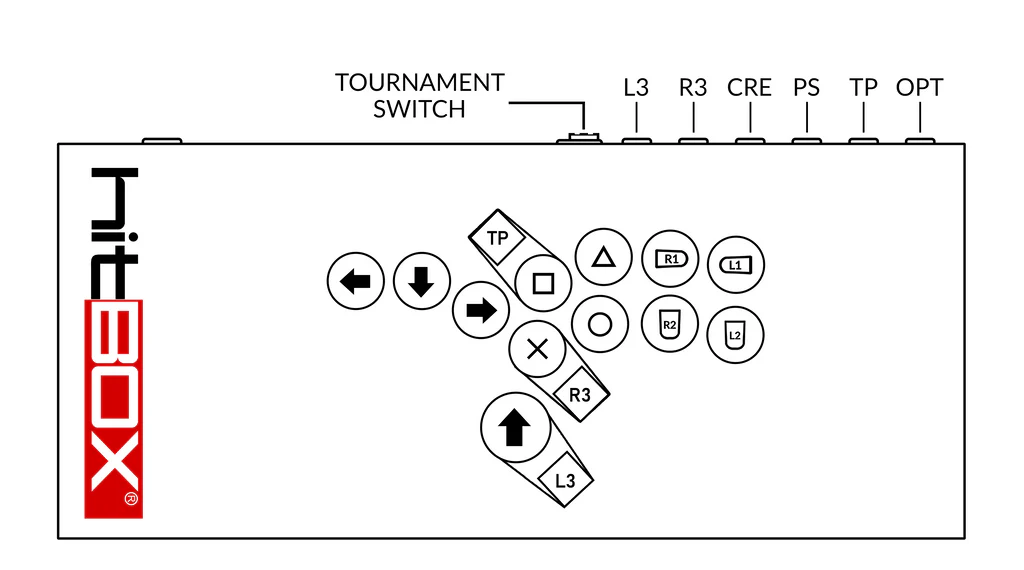
This is the main, PS5 layout for the Hit Box ULTRA. For more layouts, check out our Button Layouts blog.
The tournament switch is used to disable the auxiliary buttons during gameplay. In the right position it will enable all of the menu buttons, in the left position it disables the buttons.
The C.O.M.B.O. Extensions can be remapped to other binds. See the C.O.M.B.O. Extension section below for more details.
SOCD Modes
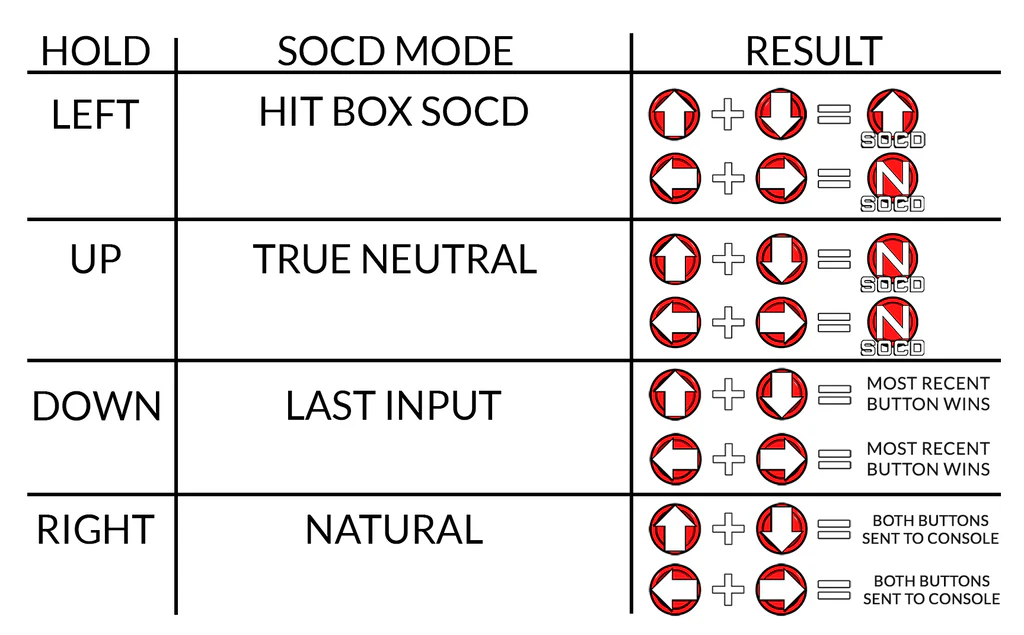
The Hit Box ULTRA includes SOCD Modes. Use these modes change and adjust your gameplay in fighting games.
To change SOCD Modes, hold one of the directional buttons as you are plugging your Hit Box ULTRA into a console or PC. Once your Hit Box ULTRA is set to a specific SOCD Mode, it will stay in that mode until you boot it into another mode.
Full guide for SOCD Modes: SOCD Modes on Hit Box.
Console Boot Modes
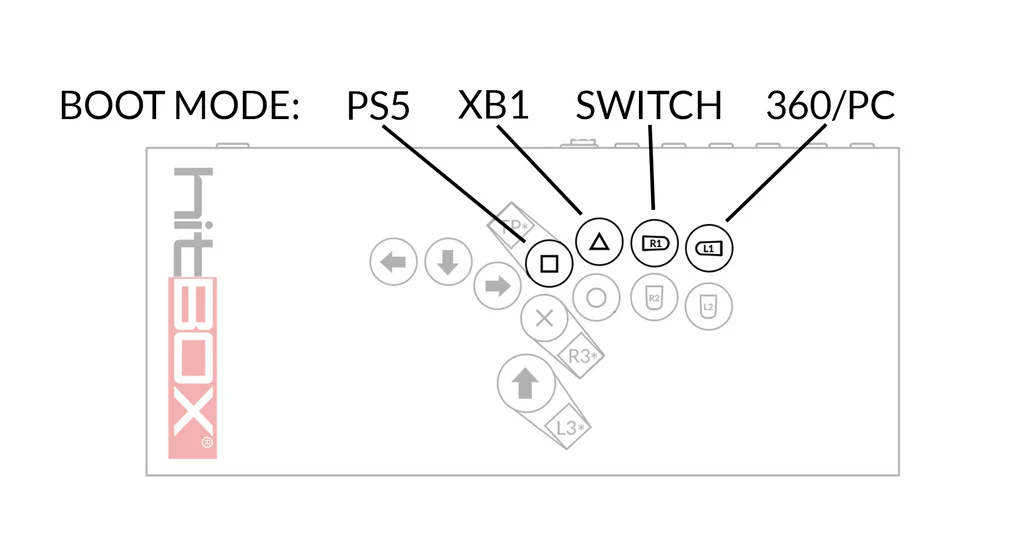
Hit Box ULTRA multi-console compatibility allows you to boot into different console modes. This is required for specific console and an optional choice for playing on PC.
Full guide for Console Boot Modes: Boot Modes on Hit Box.
Directional Output Modes
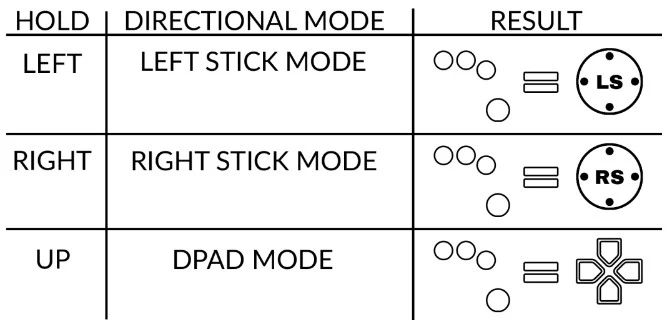
On the Hit Box ULTRA, you can output different direction types by holding specific button combinations.
Hold Options (OPT) and one of the directions in the chart below while your controller is already plugged in to enter the following Directional Output Modes.
Full guide for Directional Output Modes: Directional Output Modes on Hit Box.